 WeOrda
Know your child got on, and got off.
See the bus live, get a notification at pickup and drop-off, and confirm or skip a ride. In English and Español.
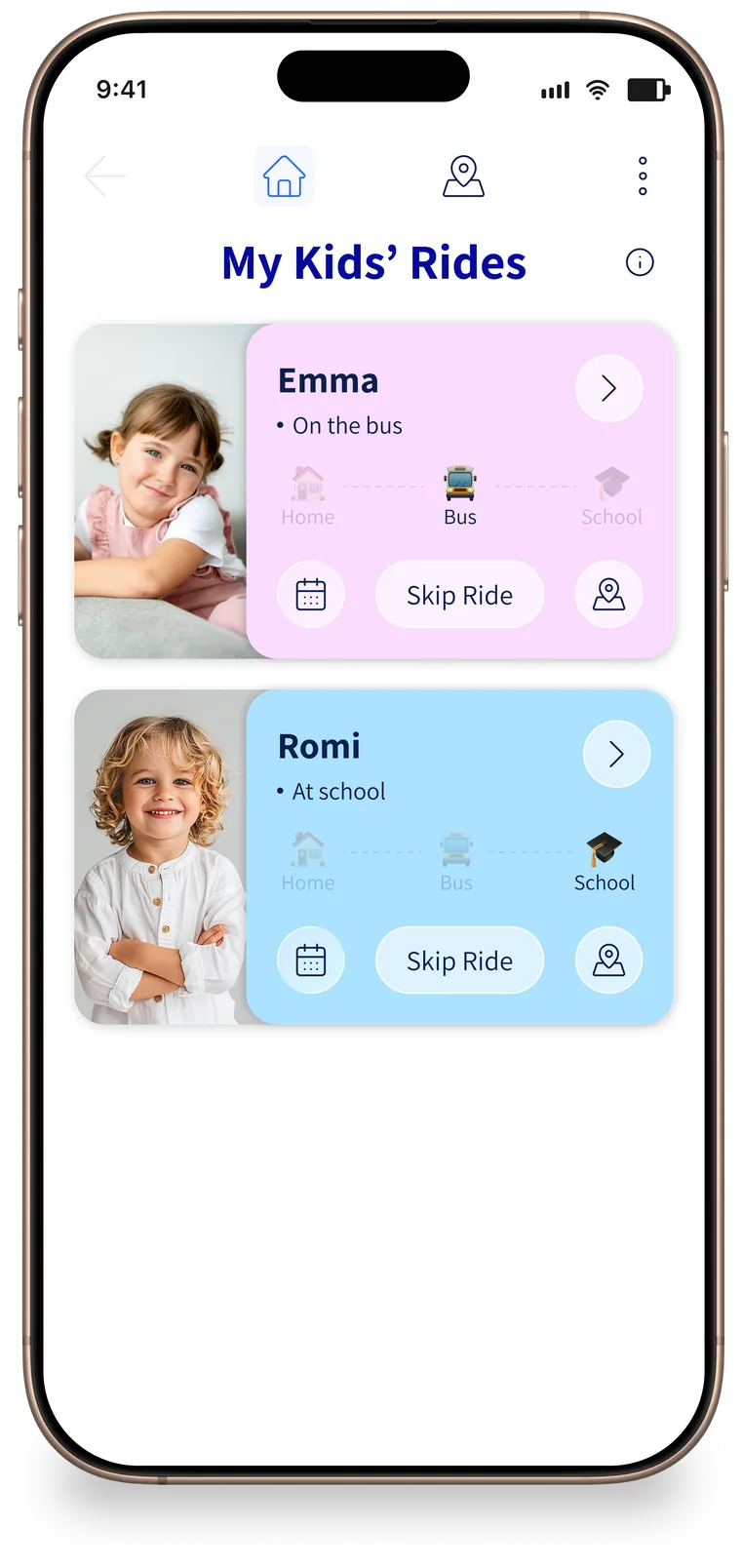
The notification that closes the loop.
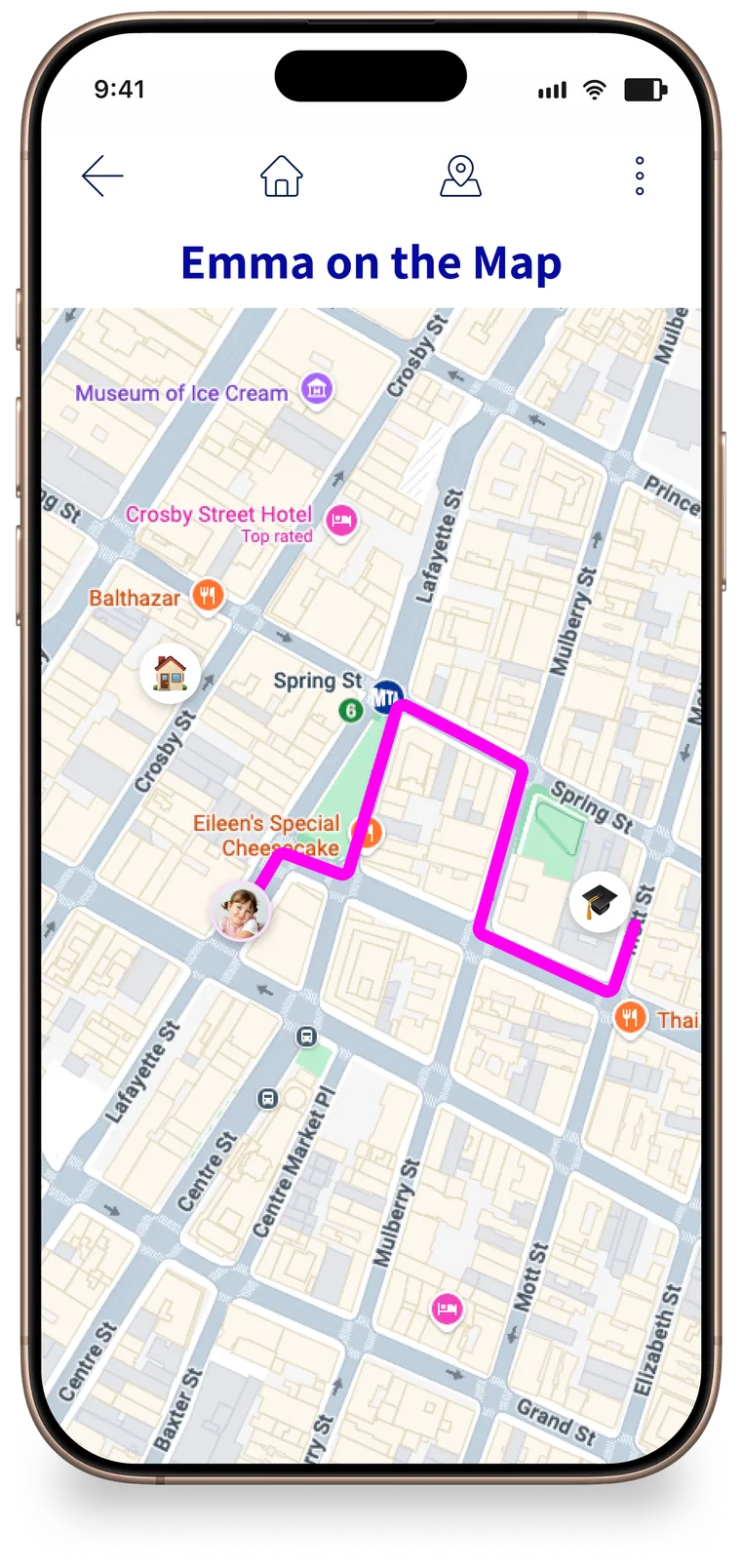
Live tracking to school
See the bus on the map from pickup to drop-off.
Drop-off notification
An alert the moment the driver or aide confirms your child is off.
Scanned on, scanned off
The driver scans your child's QR ID card at pickup and drop-off. A positive ID, not a guess.
Confirm or skip a ride
One tap the night before, so the driver won't wait.
A face, not a line
Add your child's photo. It stays visible to you only.
Every morning, the same message
A parent who expects the drop-off notification every morning notices the instant it doesn't come. That makes you the most motivated check in the whole system.
You are not imagining the risk. In a 2024 New Jersey survey of families of children with special needs, 80% reported at least one school-bus incident that compromised their child's safety.
Free. Nothing to set up.
If your bus company or school runs on WeOrda, three steps and you're in.
Your number goes on the roster
The bus company or school registers your phone number as your child's parent or guardian contact.
Open the Parents app
On iOS or Android. Ask your bus company or school for the link if you don't have it.
Sign in with a one-time code
Your phone number and the code we text you. No account to create, no password.
What we know, and who can see it.
Only the people running your child's route see your child's name and stop. Only you see the photo.
Location on the route only
The bus is tracked while the driver runs the route. Your own location is used only if you allow it, while the app is open.
Nothing on paper
Your address and phone number live in an access-controlled app, not on a sheet taped to the dashboard.
Delete it any time
Remove your account from the app or the account-deletion page, or send a privacy request.
Frequently asked questions
How do I track my child's school bus?
If your bus company or school runs on WeOrda, open the WeOrda Parents app and see the bus live on the map from pickup to drop-off. Ask your bus company or school for the app link if you don't have it.
Is the WeOrda Parents app free?
Yes. The Parents app is free for every family on a WeOrda route, on iOS and Android. There is nothing to set up and no account to create.
How do I sign in to the Parents app?
The bus company or school registers your phone number as your child's parent or guardian contact. You sign in with that phone number and a one-time code we text you — no account to create, no password.
When do I get the drop-off notification?
The moment the driver or aide confirms your child is off the bus at school. A parent who expects that notification every morning notices the instant it doesn't come.
What is my child's QR code card?
A small WeOrda ID card with your child's name and a QR code, printed by your school, district or bus company. The driver or aide scans it at pickup and at drop-off to check your child in and out, and that confirmed drop-off is what triggers your notification. The code carries only a secure identifier, never your address or phone number. If the card stays home one morning, the crew simply checks your child in by name.
Can I skip a ride if my child is staying home?
Yes — one tap the night before, so the driver won't wait at the stop.
My child’s bus doesn’t use WeOrda yet
Ask your district’s transportation office or your bus company. You can share this page with them, or tell us who runs your child’s bus and we will reach out.
Who can see my child's information?
Only the staff assigned to your child's route see the name and stop, only during the route. Your child's photo is visible to you only. You can delete your account at any time from the app or the account-deletion page.
Not on WeOrda yet?
Tell us who runs your child's bus and we'll reach out to them.